https://www.acsysteme.com/wp-content/uploads/2026/01/Matlab_VSCode_illu_2-750x563.jpg

Develop in Matlab using VS Code

In 2023, MathWorks released an official extension enabling the integration of Matlab into Visual Studio Code (VS Code), one of the most widely used free code editors among developers.

This initiative offers Matlab users a lightweight, customisable development environment that can be adapted to different work contexts, including projects involving multiple programming languages or collaborative projects.

At Acsystème, where expertise in software engineering and embedded systems is at the heart of our business, several developers have already adopted this solution for projects combining Matlab, Python, C/C++, and R. In this article, we share our experience and best practices.

https://www.acsysteme.com/wp-content/uploads/2026/01/Matlab_VSCode_illu_1-750×563.jpg

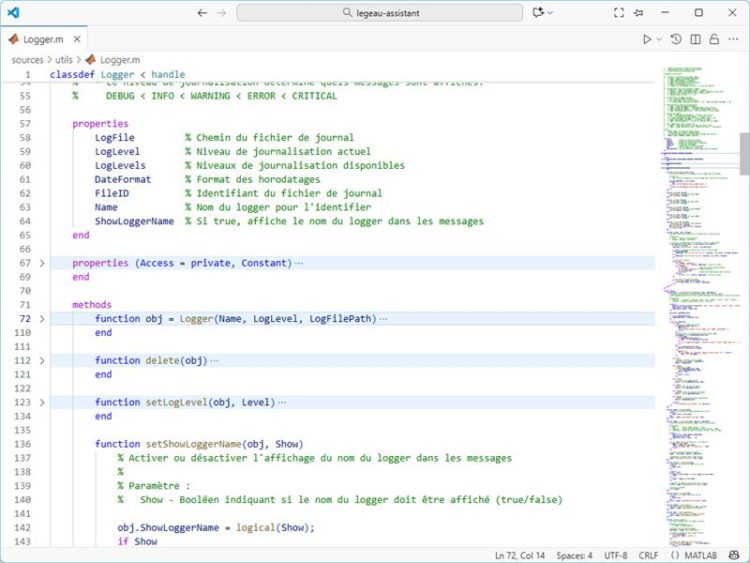
Matlab code in VS Code

An extension built to make everyday life easier

The Matlab extension for VS Code offers two levels of integration :

  • Matlab is installed and available on your machine,
  • the workstation does not have a Matlab license.

Even without Matlab installed, the extension offers a certain level of user comfort: it allows syntax highlighting, code wrapping, has pre-built code snippets, and offers formatting commands upon installation. This allows you to edit *.m files efficiently, in a modern and interactive environment.

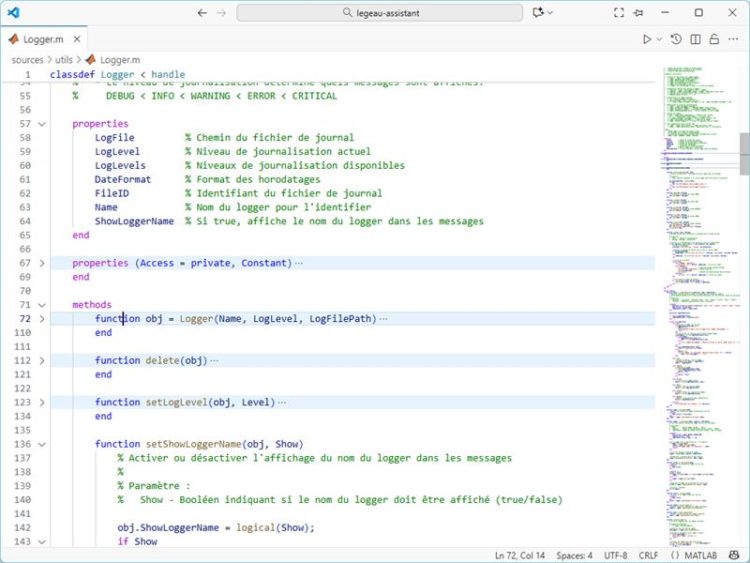
https://www.acsysteme.com/wp-content/uploads/2026/01/Matlab_VSCode_illu_2-750×563.jpg

Example with code wrapping arrows, and syntax highlighting.

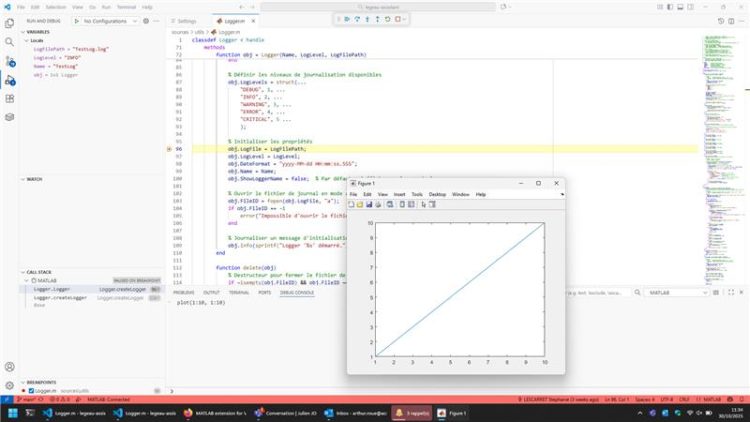
Since 2024, and with Matlab installed (from version R2021b onwards), the extension has been able to reach its full potential. It is now possible to execute Matlab code directly from the editor, access intelligent auto-completion, quickly navigate between functions and variables, perform static code analysis, and even automatically rename symbols. Matlab itself continues to manage the display of graphics, while the execution results are displayed in the VS Code integrated terminal. The experience is seamless and perfectly integrated.

https://www.acsysteme.com/wp-content/uploads/2026/01/Matlab_VSCode_illu_3_1-750×99.jpg

Matlab warning on VS Code

https://www.acsysteme.com/wp-content/uploads/2026/01/Matlab_VSCode_illu_3_2-750×422.jpg

Matlab plot on VS Code

An integrated and flexible work environment

One of the main advantages of this extension is the consolidation of the working environment. Many developers work on hybrid projects combining Matlab, Python, C++, and various shell scripts. Being able to manage everything in a single editor significantly improves productivity and reduces disruption caused by changes in environment.

VS Code is extremely adaptable and offers the possibility of integrating a large number of additional extensions: version control with Git, writing aids such as GitHub Copilot, linting tools (equivalent to a spell checker for code: static code analysis, additional information on data formats, etc.) or documentation tools. This means you can work with Matlab code while enjoying a rich and flexible environment.

Another frequently mentioned advantage is how lightweight VS Code is. Compared to the Matlab development environment, it starts up faster, uses fewer resources, and is ideal for short or on-the-go development sessions, especially on less powerful machines.

The limits to consider

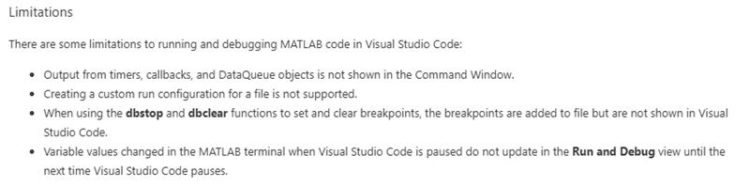
Although the extension is effective, it does not entirely replace the Matlab environment. Certain specific features, such as Profiler, App Designer, or GUIDE, are not accessible via VS Code. The integrated debugging tool is operational for a variety of scenarios but remains somewhat limited for certain sophisticated uses.

https://www.acsysteme.com/wp-content/uploads/2026/01/Matlab_VSCode_illu_4-750×187.jpg

README extract

Another point to consider: to take full advantage of the extension’s features, a local installation of Matlab is required. It is therefore not an independent or lightweight alternative for users who do not have access to Matlab.

At Acsystème, teams that use this extension employ it as a complement to Matlab. Adoption is gradual, depending on the use cases and preferences of each project. Keyboard shortcuts, navigation, and overall ergonomics differ, although the extension has been designed to minimise these frictions.

A promising solution

The Matlab extension for VS Code is not intended to replace the Matlab IDE, but rather to complement it. It is particularly aimed at users working in heterogeneous environments, or those who want to take advantage of a lighter editor for everyday tasks such as reading, editing, and executing scripts.

Thanks to this extension, Matlab opens to new applications in a modern and widely adopted code editor. For multidisciplinary teams, DevOps contexts, or simply to gain flexibility, this solution is an interesting step forward.

The extension is available on the Visual Studio Marketplace and its source code is available on GitHub. To learn more about how it works, current limitations, or the latest updates, the official MathWorks blog offers detailed articles

Share this post: